

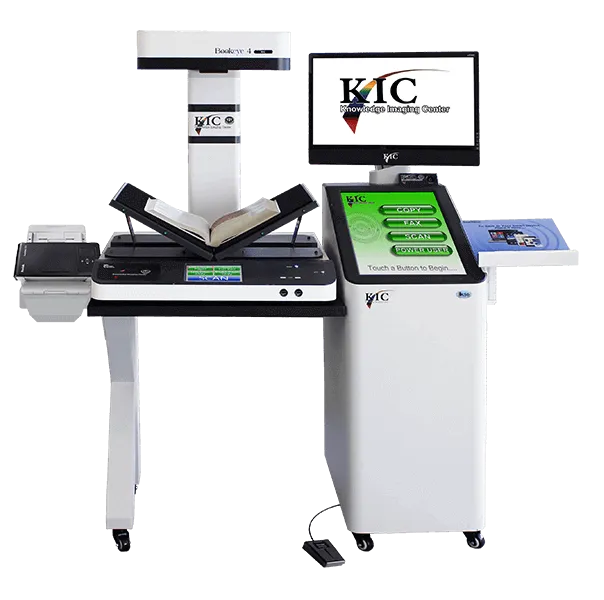
 V3
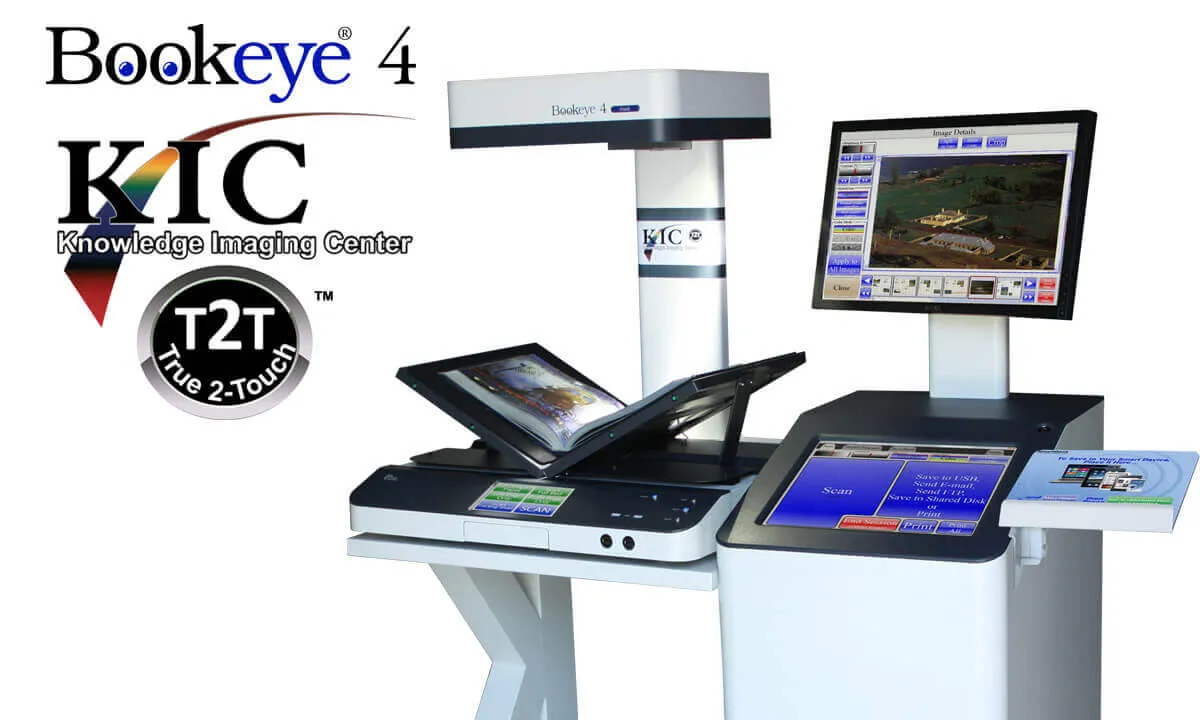
- Both Flat and V Scanning Modes
- Scan 15.3 x 18.9 inches
- Up to 400 dpi
- Full Color Book Scanner
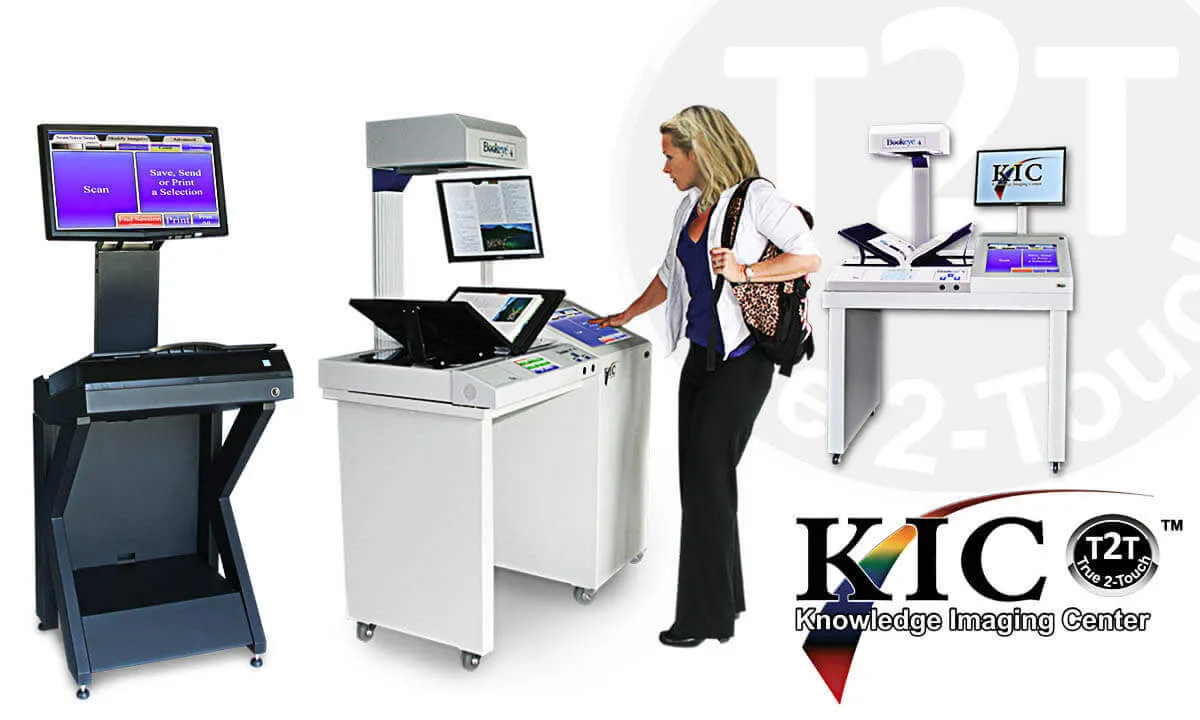
"There are two pieces of equipment that I love in this library; the hole puncher and the KIC scan station, because they both work every time!"
Susan Schulz, Night Operations Manager, Florida Atlantic University Library
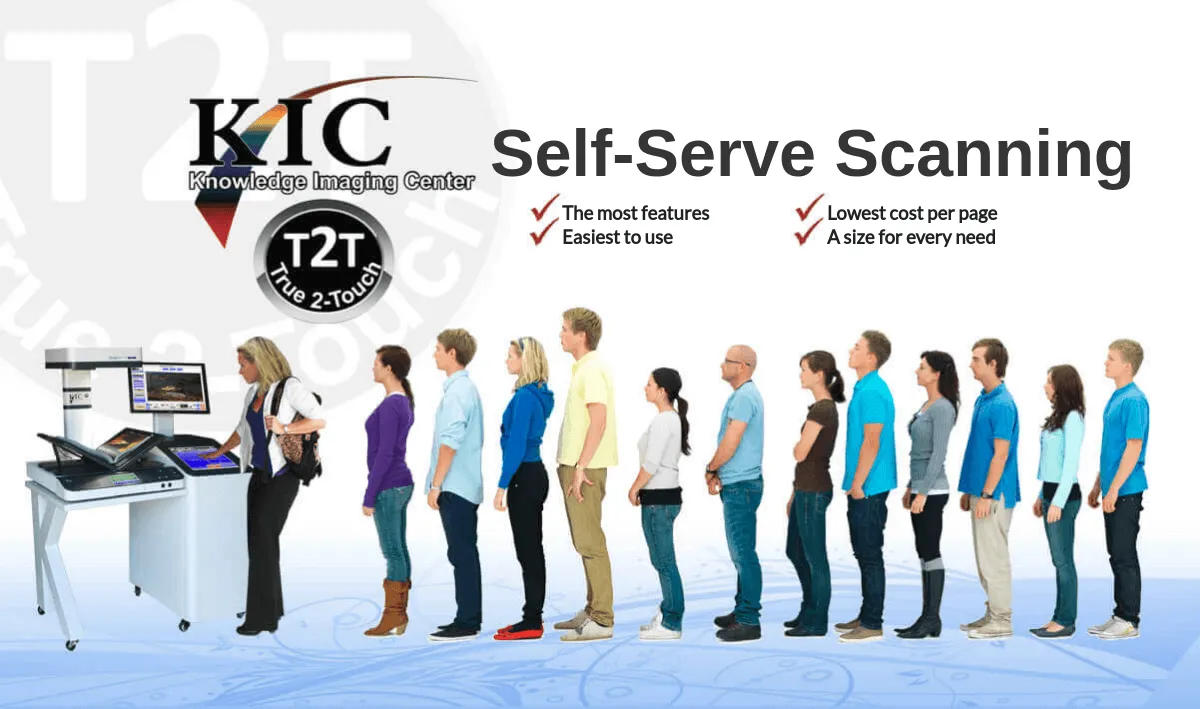
"We are replacing all our copiers with KIC... We are thrilled with KIC."
Fuller Theological Seminary
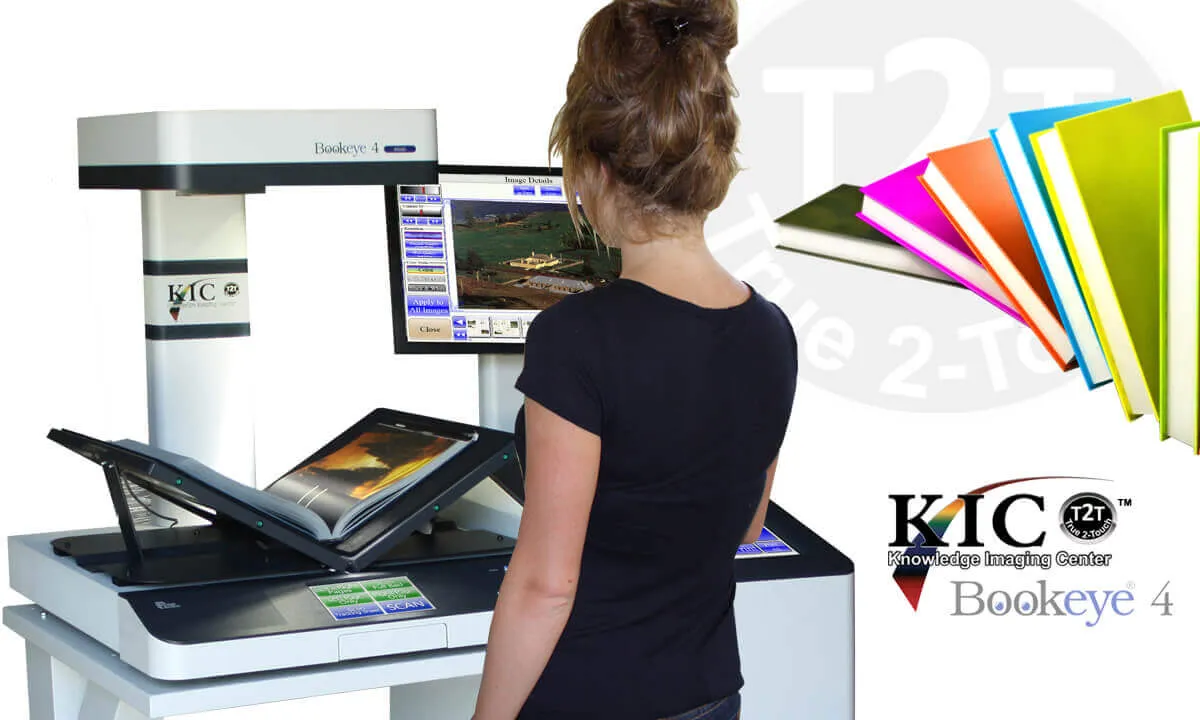
"The KIC scanners are perfect. Getting them was the smartest thing we have ever done."
Melveta Walker, Director, Golden Library, Eastern New Mexico University
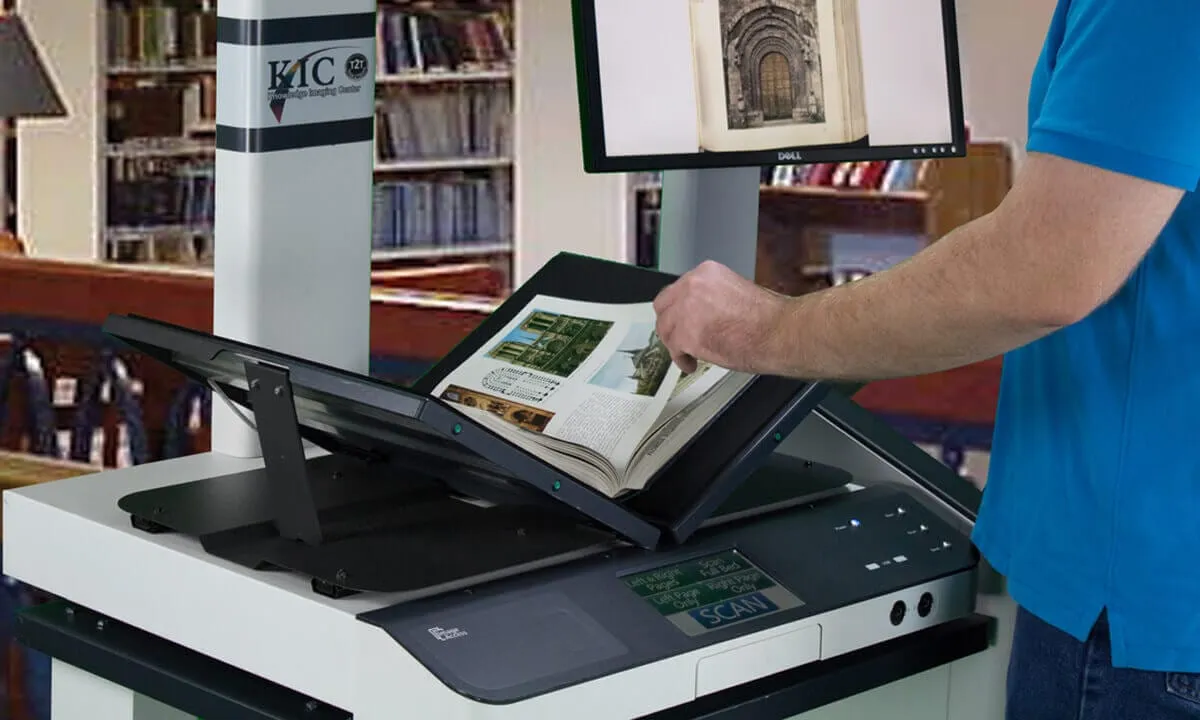
"It's what people want. We have noticed a significant decrease in photocopy use and an increase in scanner use. The KIC scanners are more efficient and they save paper. Both students and faculty like how easy they are to use and that they save time."
Cindy Thompson, Head of Resource Sharing, University of Missouri, Kansas City
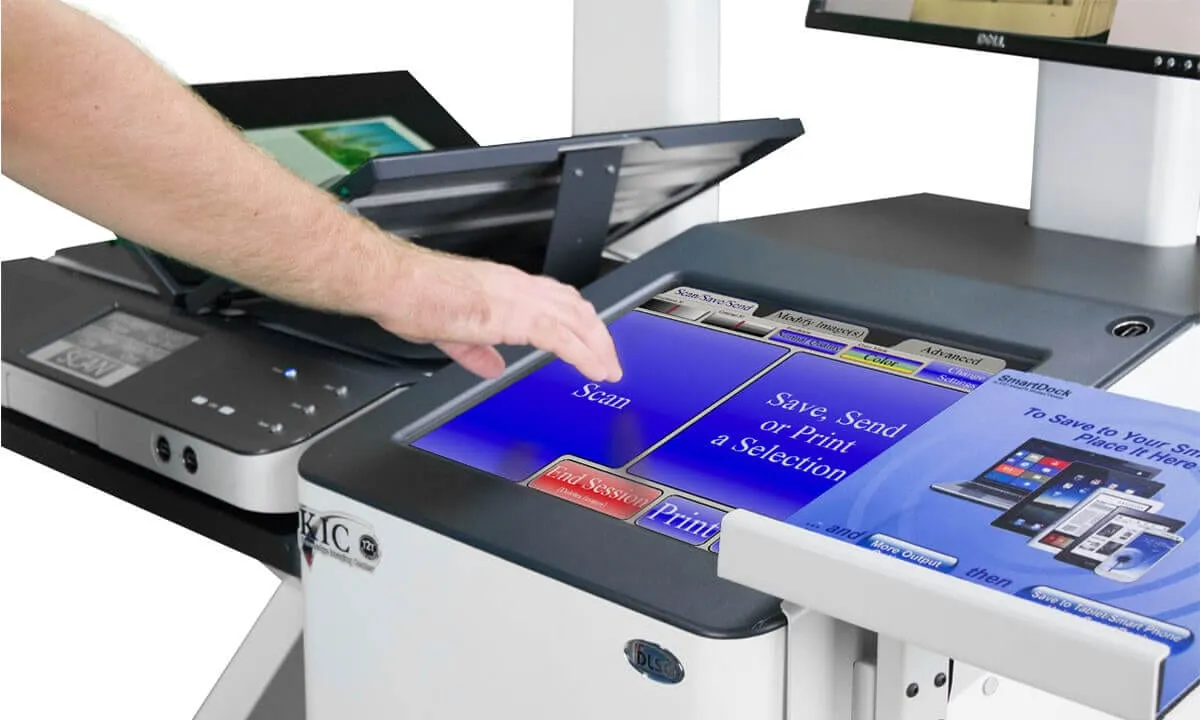
"I am especially pleased that this system has the capability to accommodate those students with disabilities, particularly, those who depend upon wheelchairs for mobility."
Dr. Lisa Abney,President Academic & Student Affairs, Northwestern State University
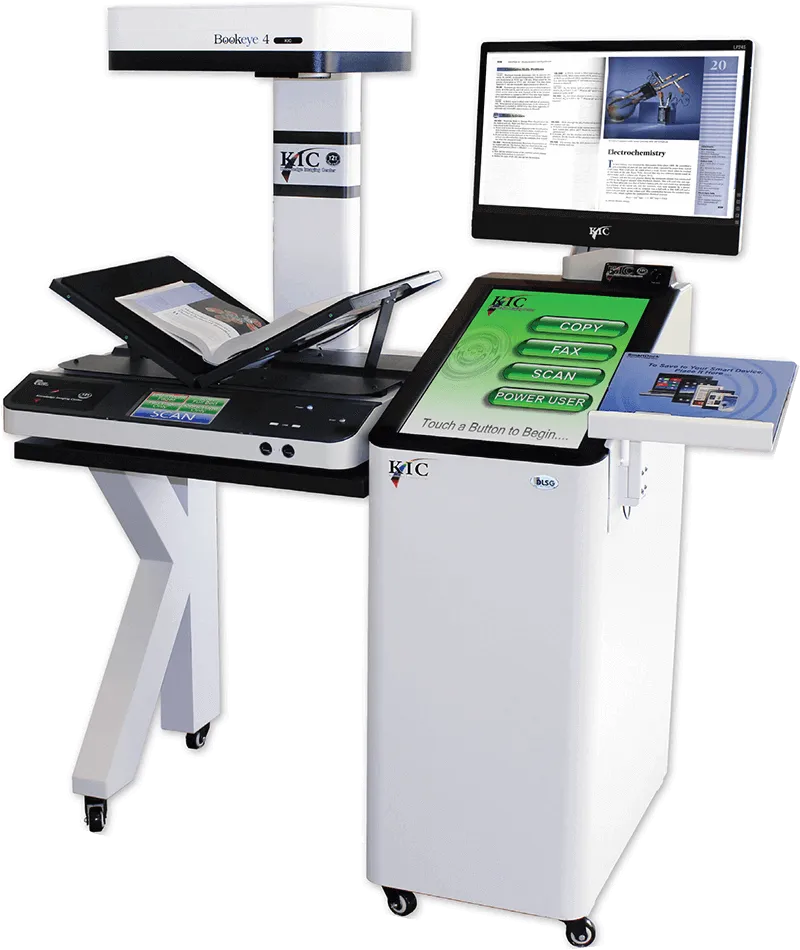
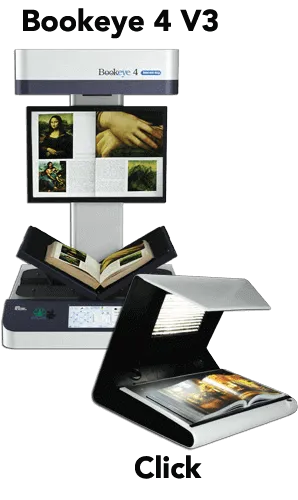
KIC Bookeye 5 V3
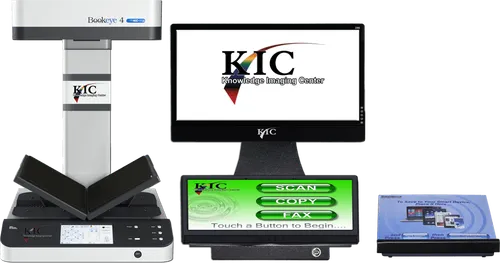
Capture, Copy, Fax & Collate Book Content
Peerless Face-up Book Scanning
for the 21 ST Century Library
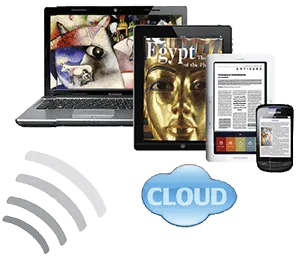
Join the Tablet &
eReader Revolution
Study, Report, Research, Collaborate... Digitally
KIC Bookeye is an indispensable tool for research, study and production of enhanced quality reports and papers with crystal clear color and black & white excerpts from books, magazines and very large journals. In addition, as a UDSA compliant digitize-on-demand system conveniently located among the stacks, KIC can be used as an ad hoc digitization station by Interlibrary Loan departments.
With its 600 dpi option, KIC Bookeye systems are perfect as shared resources, capturing the finest details for digital archival and preservation.
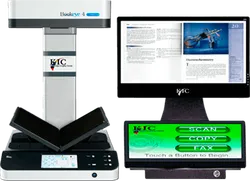
The KIC Bookeye can capture 20 book pages per minute for instant access on tablets, notebooks, smart devices and easy transfer to desktop PCs and servers. With a bed size more than 40% larger than its nearest competitor, Bookeye is also the only high resolution scanner in the world that supports both v-cradle and flat modes, and can scan material as large as 24 x 17 inches.
Photocopiers, fax machines, PCs, monitors and keyboards clutter up otherwise beautiful libraries across America. KIC Bookeye reverses that trend, replacing copiers and fax machines and adding scanning in a single machine with clean lines and efficient design.
Serving 70% of Students at US Universities
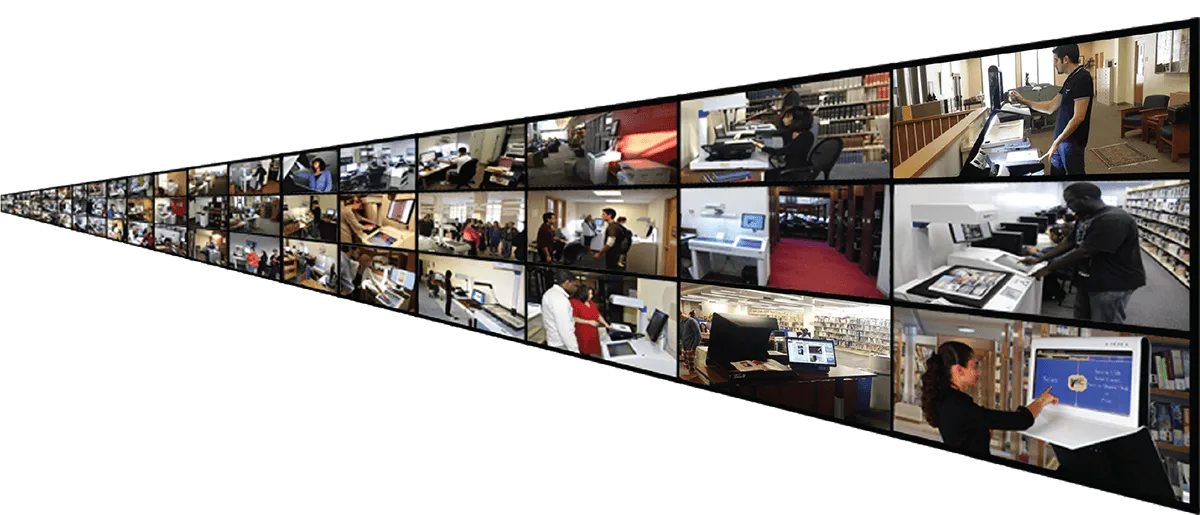
In the U.S. alone, DLSG book scanners are on 800 college and university campuses, including most of the top 100 and nearly all large campuses. With the introduction of the KIC Click Mini, KIC BookEdge and KIC for Sprout Pro by HP, KIC is now affordable for virtually all institutions of higher learning and full-service public libraries. Last decade, libraries typically 'added' several KIC book scanning kiosks for patron, student, faculty and researcher use, but since 2010 libraries have begun to replace their entire patron-use copier fleets with self-serve book scanning systems.
-- Ramie Miller, Millersville University
it's ten times better than the [competition] user interface.
-- Jeff Bernhard, Assistant Director for ITS Client Services & Support
-- Benjamin J. Chapman, Emory Law IT
-- M. Alicea-Sáez, Bentley University
-- Angie Class, Librarian, Sacramento Public Library
them was the smartest thing we have ever done.
-- Melveta Walker, Director, Golden Library, Easter New Mexico University
-- Victor Cenac-Methedinti, Archives Specialists, Fuller Theological Seminary
-- Jessica Drewitz, Head of Public Services, Pepperdine University School of Law
A True Digital Age Multifunction System for Academic Libraries
Book Scanning
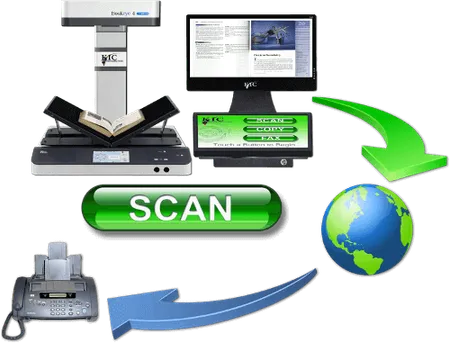
Students at academic libraries want speed, and DLSG offers the fastest book scanners on the market. Patrons at public libraries need simplicity, and KIC provides three of the simplest possible user interfaces, one exclusively for scanning, one exclusively for copying and one exclusively for faxing. And KIC's best-of-breed power user interface is only a touch away.
Copier Replacement
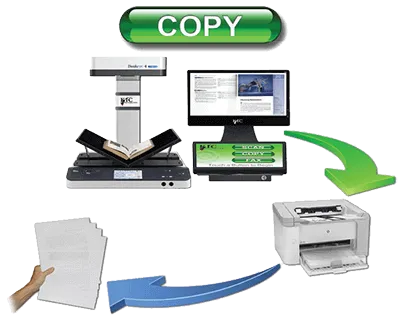
While multifunction copiers are partly digital, they are big mechanical machines with big maintenance issues and tiny touch screens. As a copier replacement, KIC eliminates copier failure/service problems and provides very large touch screens and view screens that are larger still. Organizing (collating, clipping, rotating, etc.) pages on a huge touch screen is much easier than shuffling paper.
The digital age has steadily driven down the demand in libraries for paper copies to levels that make it increasingly difficult to justify copiers. KIC self-service scanning systems reduce copier use further — to the point that attaching a small laser or ink jet printer is sufficient. Scan Copy Fax KIC systems also handle much larger materials than copiers, and they scan books without damaging them. However, the most compelling benefit of KIC over copiers is KIC's speed, due mainly to its face-up scanning design, which is not only significantly faster, but far easier to use.
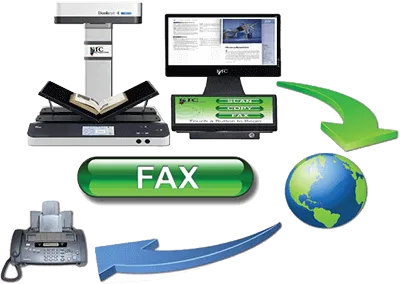
Self-Serve Fax
KIC's huge touch screen and larger view screen make faxing extra easy. Users can compose, review, clip, crop and change brightness and contrast of the pages of a fax before sending. KIC's step-by-step process is designed for easy operation by even the most timid users. All you need is an internet connection, and DLSG will provide the rest at a cost so low that fax revenue can pay for the KIC system in a few years or less.
KIC is Compatible with Copy Card & Cash Systems
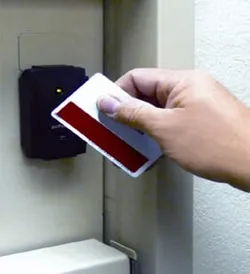
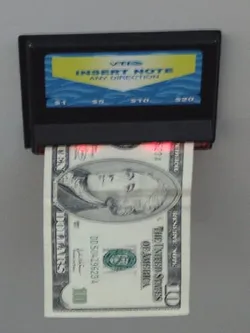
- ITC Systems 1010 NetLink
- ITC Systems 7010 NetLink
- Access Control Devices EX2000
- Blackboard CR1120
- Blackboard CR1122
- Blackboard CR3000
- CBord C2005
- Diebold C2005
- Comprise Smart Kiosk
- Copicard CX125
- PaperCut’s Print Manager
- Danyl Systems Copy Terminal
- Debitek DCT Family of Readers
- General Meters DCT-2
- Jamex 7110
- Pharos PS100
- Pharos Omega Series Terminals
- Vendapin 5500
- Vendapin 5596
- Virtual Cash Vending Terminals
- Envisionware’s Print Manager
KIC Makes Your Print Collections Searchable
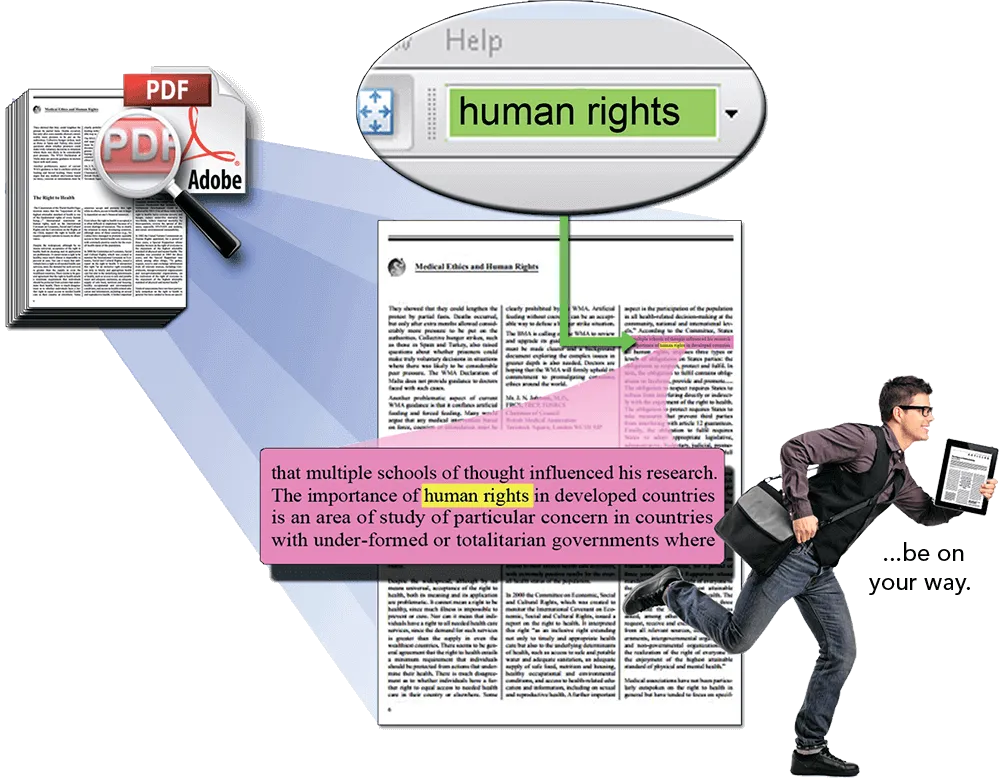
Search hundreds of pages of PDF or text files created in just minutes using KIC Bookeye
Users need only locate the volume(s) that they expect to contain the information they are seeking, scan selected sections and output either a searchable PDF file or a text file. These files can easily be searched for various keywords.
Keyword searching is becoming an indispensable capability that significantly improves the quality and efficiency of researching print collections.
- Access more sources DIGITALLY
- Find information faster
- Deliver results in digital form
- Get your research in digital form
Scan selected excerpts from multiply sources in just minutes
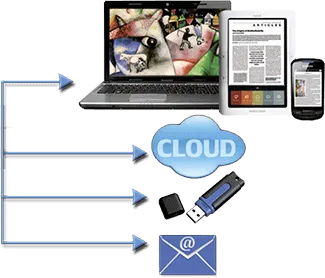
Output text or searchable PDF directly to a tablet, e-reader, PC or smart phone.
In case you didn't know...
...what you can do with scanned images
Enhance Reports
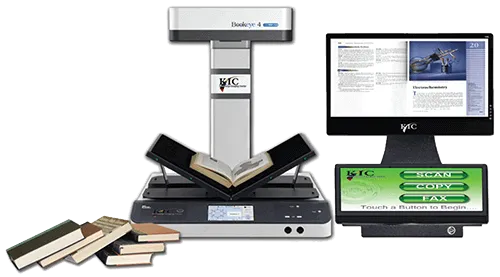
Place books face-up on KIC Bookeye's large bed & capture two pages at a time - much faster than flatbed scanners and copiers.
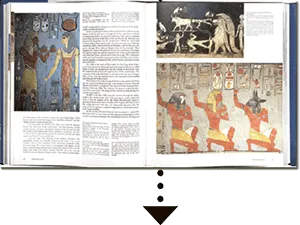
Use whole pages or clip selected pictures, graphs, test, etc. using KIC's large touch screen.
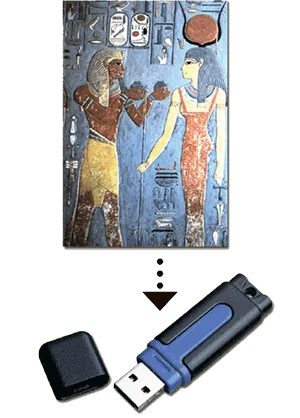
Save scanned images to USB flash drive or cloud storage, send them via email address or transfer images directly to a tablet, notebook PC, or smart phone.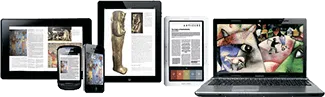
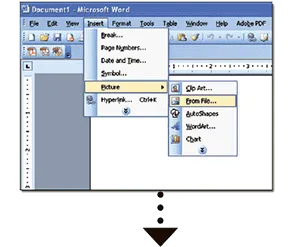
Enhance reports in a word processing program. Drag desired images from a flash drive, Cloud storage or email directly into a word processing program, or save images to your computer desktop and use the 'insert picture' function.
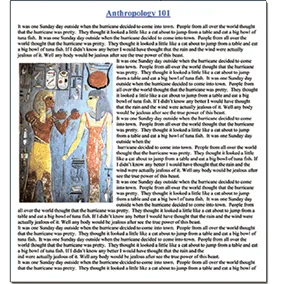
Once images are imported into a word processing program, you may want to resize or reposition them or select from several ways that your text can wrap around the pictures.
Personal & Family Documents
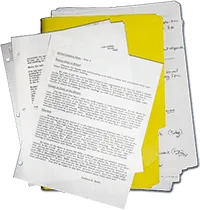
Library patrons bring loose paper from home to scan, fax and send via email or save to a USB device. A $5 USB thumb drive can store thousands of important documents.
For Study
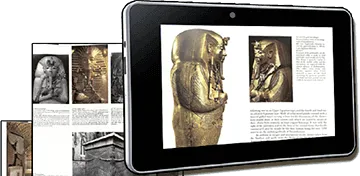
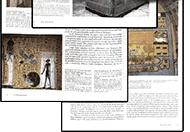
Quickly scan many pages to take with you and study at your convenience in the comfort of your home where you can read, search, markup, and print at your leisure
With KIC in your library, instructors are no longer restricted to a single text book. They can freely assign many excerpts from many books without adding to the students' already high cost of text books.

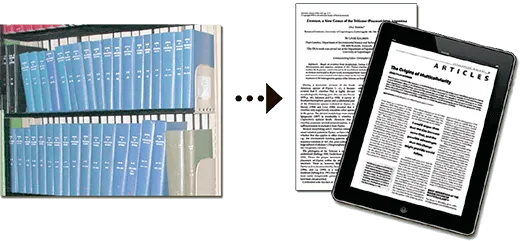
Scan Journals for Research
Scan Artwork

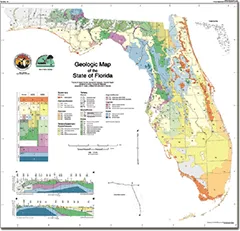
Scan Large Maps & Drawings
KIC Composer
Offer your students and faculty KIC and its powerful, digital age features that from a superhighway between your highly valuable print collections and the digital word. Composer by KIC is one of many powerful features that are free with any KIC station under active maintenance.
Select Clips
Once pages are scanned, KIC automatically select photos, charts, and paragraphs. Users can simply touch and drag to select an area, or just touch a photo, chart or paragraph and drag it to the digital clipboard.
Compose Page
Move clips individually from the clipboard to existing pages, or start a new blank page. Then design your layout by arranging, rescaling, rotating clips, and/or adding annotations, frames, and clipart.
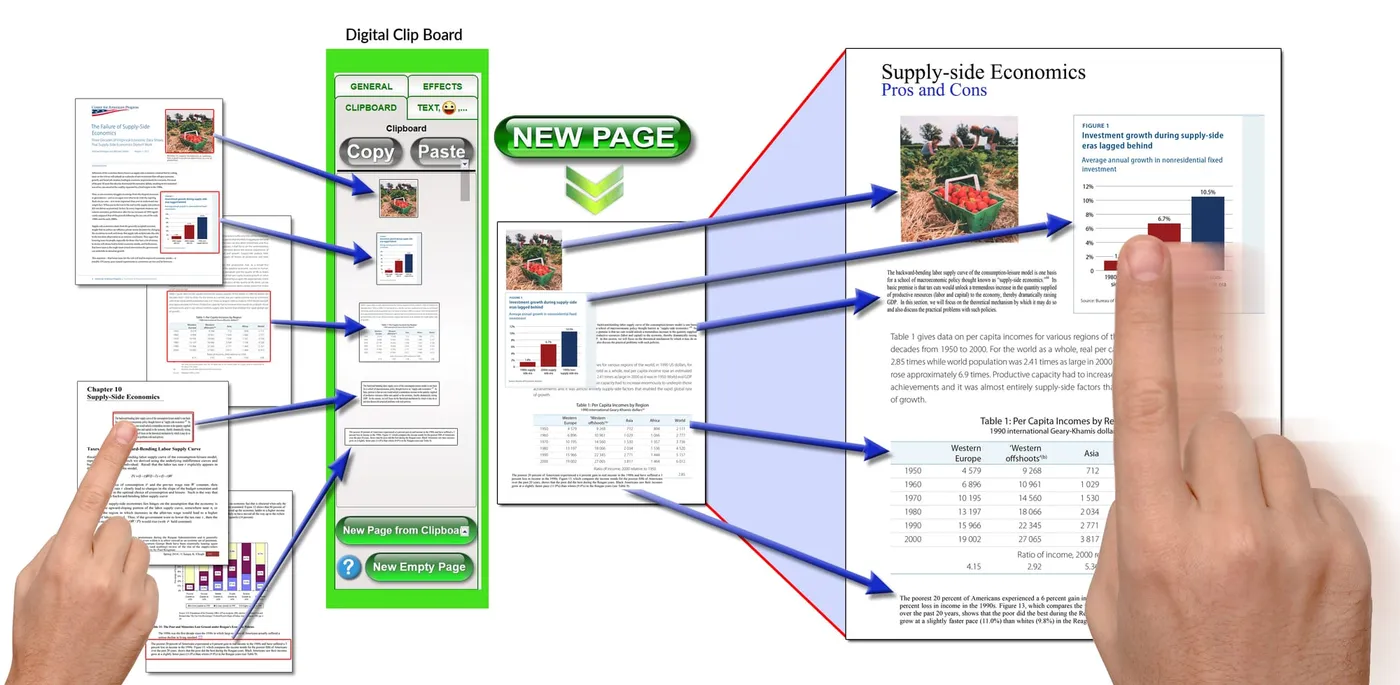
Save & Send
Shrink, enlarge, and rotate clip to create any layout. Undo changes, remove clips, until your creation is complete. It's digital desktop publishing, easy as 1-2-3, at your fingertips.
Use KIC's huge touch screen to easily arrange, rescale, rotate clips, and/or add annotations, frames, and clipart.
Then save your results in a variety of file formats and send to USB, email, smart device, or cloud.

KIC AutoNote

KIC AutoNote Creates Digital Text & Audio Study Notes from Highlighted Text
Use KIC to scan books and other materials with highlighted text, then click on KIC AutoNOTE to automatically select all highlighted text. See the highlighted text in a format that fits nicely on a smart phone screen. Read and review the highlights without having to zoom in.
It's like having a study partner on the go!
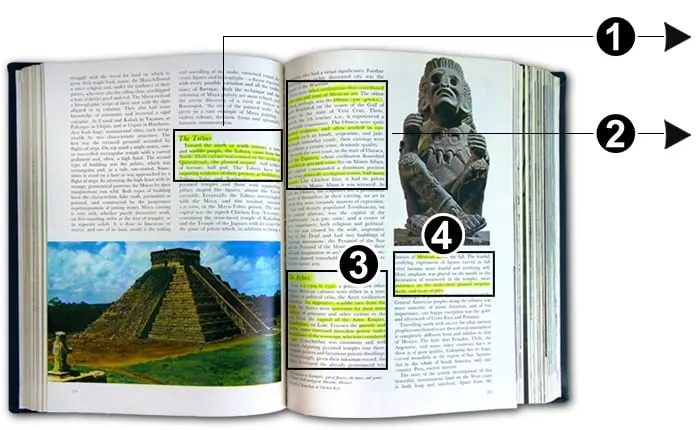
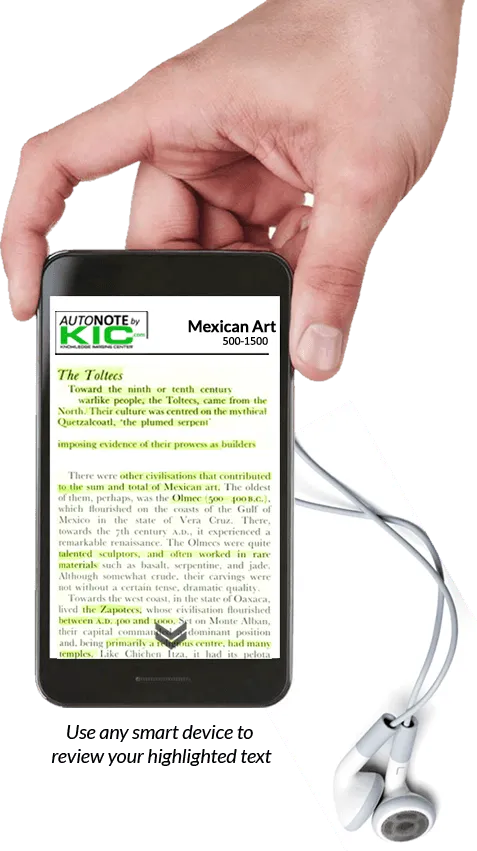
Students and faculty can use KIC’s audio-output feature to create MP3 files so that they can listen to their highlighted text and read along if they like. Many students find it very helpful to simultaneously read and listen to study materials to optimize retention.


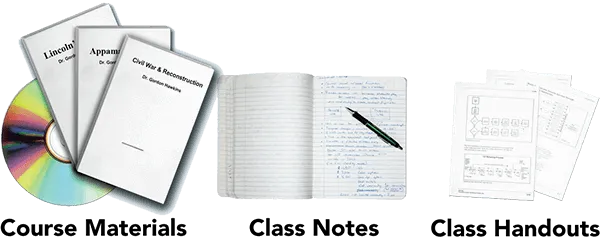
Create Course Materials with Excerpts from Many Sources
With KIC in your library, instructors are no longer restricted to a single text book. They can freely assign many excerpts from many books without adding to the students’ already high cost of text books.
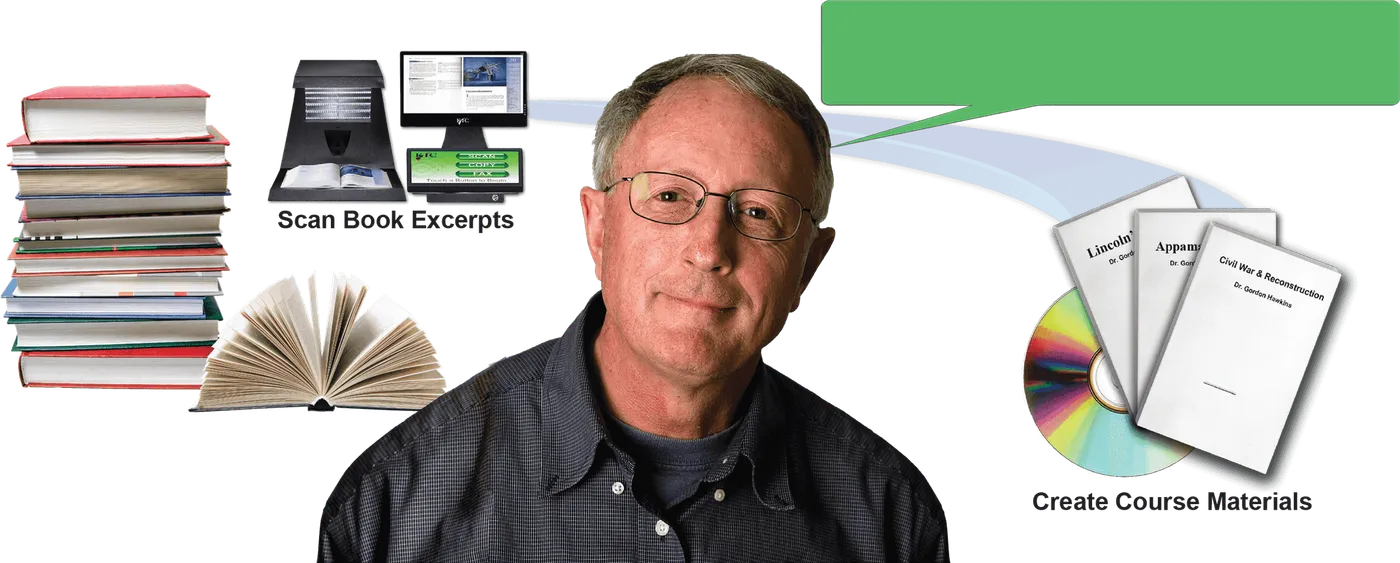
“I selected excerpts from eight books and created the text book I use for my Civil War class.”
Beautiful Images – Fast and Easy, and Nondestructive
Face-Up Scanning is Faster
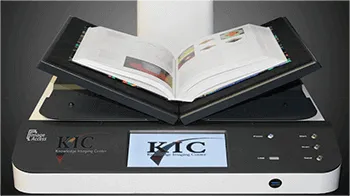
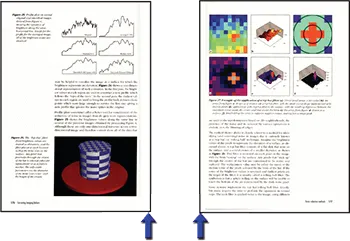
KIC Bookeye self-serve book scanning kiosks include face-up scanners that save a lot of time and reduce book spine damage because they capture two face-up pages of a book with each scan and do not require the user to flip the book twice for each page. KIC analyzes each image, and automatically splits it into two separate images. In addition, black edges are automatically removed and the content is straightened, producing clean, professional looking images - important for electronic reserves, course curriculum materials and research reports. These automatic image treatment functions also save a lot of faculty, administrator, and student time.
Capture Area Comparison
The capture area of copiers is about half that of KIC Bookeye while the capture area of typical consumer scanners is smaller still. With a 18 X 24 inch capture area, Bookeye captures it all!
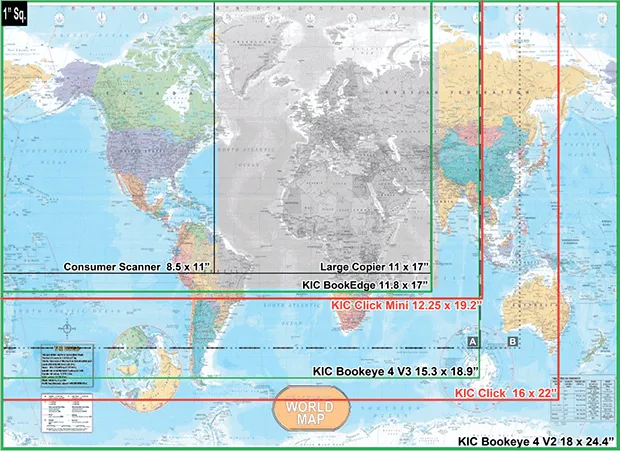
A – – – Competing face-up book scanner A 14x18.9"
B⋅⋅⋅⋅⋅⋅⋅ Competing face-up book scanner B 14x20.5"
Scan Oversized Reference Books
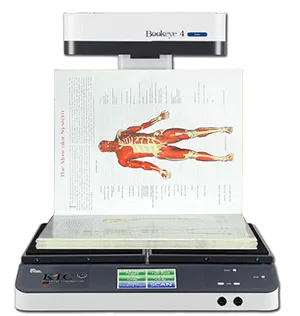
With the view screen on the side,the Bookeye neck provides an ideal bookstop for scanning very large reference books. KIC True 2 Touch provides full rotation capabilities so that you can scan in the orientation that suits you best.
The Bookeye V2's 600dpi Option
With its 600dpi option, Bookeye is the only true preservation quality book scanner that's also ideal for self-service.
To capture moving objects, digital cameras must use array CCDs, which capture all parts of the object at the same instant. That's why affordable digital cameras have fewer than 50 megapixels. And those pixels must be further divided into red, green and blue sub-pixels.
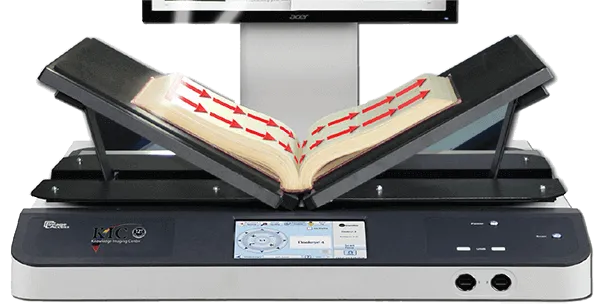
Since books don't move while being scanned, the Bookeye is able to utilize linear CCD technology to produce ultra-clear images with astounding 140 megapixels. Each pixel in a linear CCD includes full red, green and blue sub-pixels. However, high resolution scanning is meaningless if the lens system does not produce highly focused images.
Since ultra-high resolution "spy satellite" lenses are quite expensive, the Bookeye scans from left to right, allowing it to follow the curve of an open book and maintain excellent focus, whether in V-mode or flat mode.
The Bookeye's left-to-right scanning allows it to follow the contours of virtually any book, producing better 600 dpi images than other book scanners that claim to produce 600 dpi images.
KIC Dock ™
The Fastest, Easiest Way to Transfer Images to Tablets, Notebook PCs, eReaders & Smart Phones
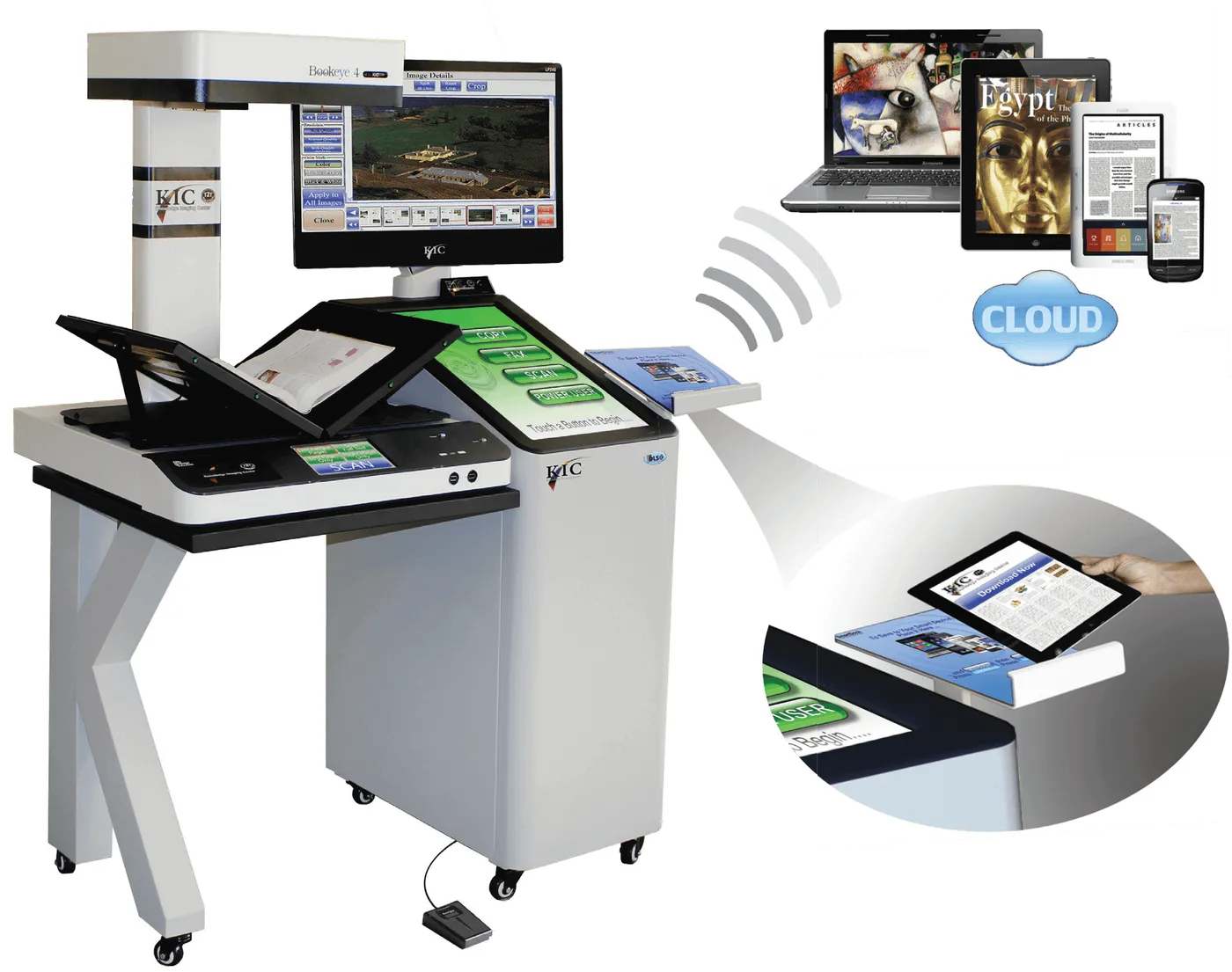
Use the optional KIC Dock to transfer 10-20 full-color pages per second to any smart device without using any of your institution's precious WiFi bandwidth.
Files automatically appear on the devices as they are scanned.
True 2 Touch™ User Interface
Ease-of-use is a central feature of KIC. Its large, 22 inch touch screen and its large "Scan" and "Save, Send or Print" buttons that occupy a very large portion of the touch screen clearly convey how easy KIC is to use. The Save button defaults to an output method and file format that is selectable by the institution. If a flash drive is inserted, KIC detects this and the output button changes to indicate that it will save to the flash drive. Users can override the default output method by manually selecting one or more other methods of output.
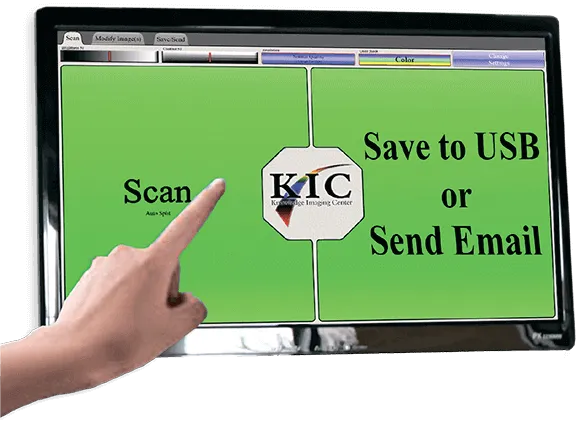
KIC's True 2 Touch™ User Interface, Especially Forgiving for Beginners
KIC is very agile, and allows the user to jump from just about anywhere in the touch screen system to just about anywhere else, directly and usually with a single touch. This modern, 'modeless' design is easier to use, but difficult to create.
KIC's large buttons and controls are easy to use, even for people with unsteady hands.
KIC gradually expands and contracts controls such as brightness, con- trast and DPI so users can easily follow their screen activity
KIC doesn't delete original images when you clip a photo or excerpt of text unless you tell it to.
KIC lets you output to many different destinations in a single session.
Once you've scanned a document, you can change your mind as to where you would like it to output. For example, you may have wanted to save to USB, but learned your USB drive is full. Or you may scan so much that it exceeds your email limit. Or after scanning and collating a mass of research, you decide that you want to share the research with others.
KIC Bookeye's high speed is derived as much from its ultra-simple, true 2 touch interface as from its face-up design that obviates the need to flip books over and over again during the capture process.
The tabletop model KIC Bookeye has all the True 2 Touch capabilities of the full-size KIC. It has its own tabletop version of the Dock, and of course, an ADF scanner can be placed anywhere on the table. ADA compliance is achieved by purchasing a table with a 30 inch clearance to the floor and a 31 inch height.
KIC Bookeye's elegant design puts the full KIC self-serve digitization functionality into a compact and appealing space. Its 17" touch screen and large preview screen and capture surface are at the perfect height for wheelchair access. The KIC Bookeye also offers an optional desktop configuration with a single 22" touch/preview display
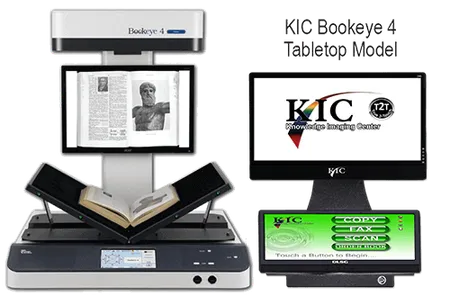
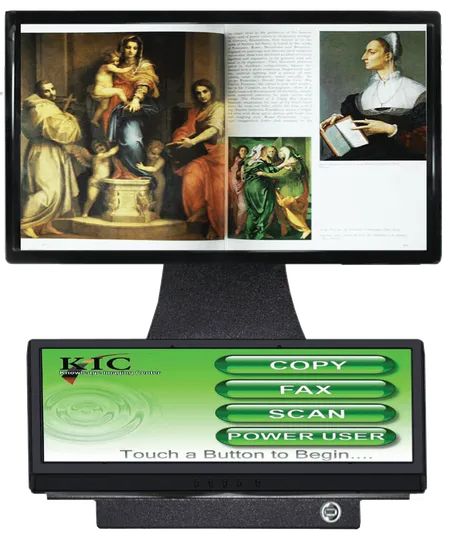
Two Large Screens for Simplicity & Power
It’s easy to undervalue screen size. For 20 years, all cellphone makers relentlessly pursued smaller and smaller screens until very recently when one company reversed that trend. They realized that people want the largest screen that will fit in their pocket/purse and hand. This is because display screens are our window to the digital world, and touch screens give us control over that world.
As big as self-serve scanning systems are, it makes sense to have a very large touch screen. And with the low prices for high quality displays, it is compelling to add a separate display screen. In 2002, DLSG realized this, when the first KIC system was designed. Today, with nearly 10 years more experience than any other vendor, DLSG has the most understandable, easy to use and powerful user interface for self-serve book scanning, and it’s based on dual screens.
The view screen shows very large, clear images of what you’ve scanned, allowing the touch screen to have big, easy to understand buttons and other controls.
KIC vs. Copiers – How KIC Compares
Copiers are Outmoded
Since the first KIC was delivered to an academic library in 2004, the days of photocopiers for patron use in academic libraries and even public libraries were numbered. And now with the rapid explosion of tablet computers and electronic readers, the demand in academic libraries for electronic copies has substantially outstripped the demand for printed copies. The demand for electronic copies in public libraries is also reaching a tipping point.
The ability to capture virtually unlimited numbers of pages of research into a tablet or electronic reader and search through that material on the Internet with a tablet, eReader or notebook PC that can be used just about anywhere is highly convenient and immensely valuable. In this digital age, academic libraries are compelled to go hybrid for three reasons: 1) the high demand for digital content; 2) their existing print collections contain vast amounts of information that cannot be found on the Internet; and 3) students are receptive to the price of electronic copies - typically free.
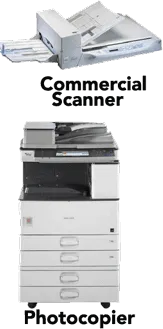
So how do the costs of KIC systems compare with those of photocopiers? There are three main factors that keep the cost of photocopies high: 1) each copy requires paper, toner and ink; 2) photocopiers require a lot of maintenance due to the number of moving parts; and 3) all major photocopier brands use a distributed service model.
In contrast, these costs are lower for KIC because KIC has split the scan/copy functions into three separate machines, choosing the best of breed for each. As a result, KIC offers the best book scanners by themselves or with a loose-leaf paper (ADF) scanner. Virtually any off-the-shelf laser or inkjet printer can be added to any KIC system, so you can optimize costs and speeds, and offer affordable color.
KIC Bookeye Scanners vs. Copiers
This graph compares the total costs of one color KIC Bookeye system with three color copiers and with three black and white copiers. Both copiers are the kinds typically seen in academic libraries. One KIC Bookeye is compared with three copiers because its face-up operation yields well over two times the performance of a typical copier. The costs are broken into three main areas: equipment and maintenance, consumables, and patron usage time. With KIC, electronic output is assumed to be preferred over print 90% of the time. That ratio has ranged from 75-95% electronic in 2012, but is certain to rise in the future.
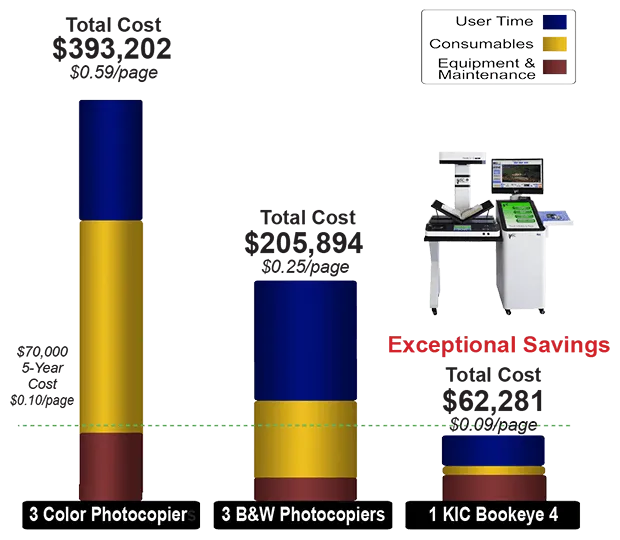
The KIC numbers above represent a five-year saving in excess of $143,000!
No More Book Spine Damage!
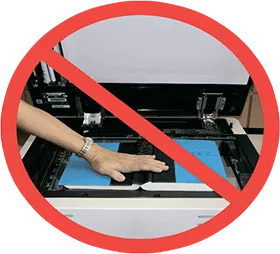
Thick books with stiff spines and content that runs deep into the bookfold are often damaged when copied. KIC Bookeye easily captures bookfold content with high clarity, but all KIC face-up scanners avoid damaging book spines.
KIC automatically removes black edges, straightens content, and produces clean, professional looking images – important for electronic reserves, course curriculum materials and research reports. These automatic image treatment functions also save a lot of administrator, faculty, and student time.
Thick Books...No Problem
KIC Bookeye handles thick books beautifully. Its contour-finding laser allows it to flatten even the most curved books and produce text that is clear and undistorted. KIC automatically adds margins for print-ready image quality.
KIC Scans 3-6 Times Faster
Statistics from many millions of scanning sessions across America revealed a median session length of 23 pages. So, most of the time spent during a KIC session is spent scanning. Face up scanning has been proven to be three times faster than face down scanning. Here are three reasons speed is so important:
- It's economical. One KIC can replace multiple copiers or other face-down scanning machines.
- It gives patrons another reason to visit your library.
- It's green. The faster it is, the more use it will get and the less the copier will be used.
Color Images are Free
In the digital world, there is no paper, toner or ink, so libraries rarely charge for images, whether black and white or color.
Color Copies for Less
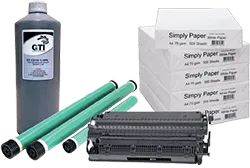
Over the years, many libraries experimented with color copiers, but could never find a formula that worked. If the fees were low, patrons would copy materials with so much color that the library would spend more on ink than the fees they were collecting. If the fees were too high, the usage would be so low that the cost of the machine couldn't be justified.
KIC calculates the amount of color in an image before it is printed. So the fee for copies with a little bit of color can be the same as the fee for black and white copies. If a copy has a lot of color, the fee can be increased in proportion to the cost of the color ink or toner. This wonderful feature should be a simple, easy byproduct of the digital age, and it is with KIC.
Digitize on DemandVSBorn Digital

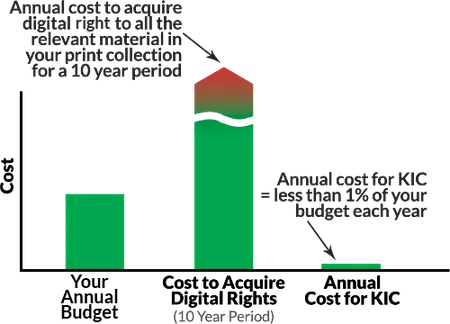

Unlike Born Digital material which must be purchased on a subscription basis, converting print to digital with KIC can be done on an unlimited basis.
KIC self-serve book scanning kiosks convert your huge investment in printed monographs and serials into digitize-on-demand collections at a cost that is an insignificant percentage of the value.

70% of students at US universities are served by DLSG products

KIC and your print collections together can yield thousands of digital copies of whatever students want

Your Choice: Scan Face-Down or Face-Up
Faster is also Easier
Face-up book scanning is far easier on both patrons and books and quite a bit faster than face-down scanning.
Scanning books face-up makes it much easier to keep track of what pages you've scanned. With KIC Click, Click Mini and other face-up scanners, books stay face up, so you can see what you're scanning as you scan it. This extra visibility eliminates the age old problem of skipping pages and scanning pages out of order which can occur with face-down scanners.
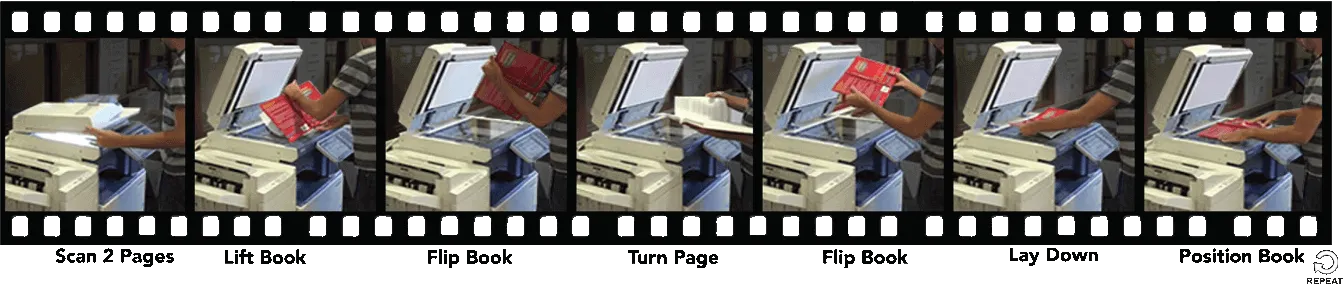
The following photo sequences show the reason that face-down scanning system are typically 1/3 the speed of face-up systems. The book flipping necessary to scan a book on a face-down scanner like the KIC BookEdge is shown in the photo sequence below. It's a workout both for the book and the patron.
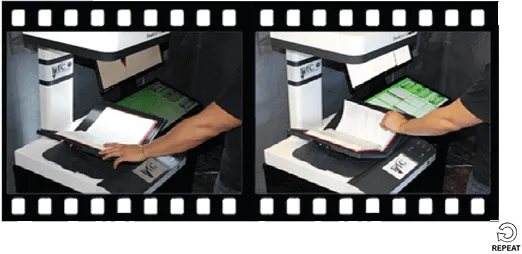
The ergonomic design of the face-up scanning systems involves only the basic movement required to set a book down and turn a page.
Face-Down Capture [a seven-step procedure]

Face-Up Capture [a two-step procedure ]

The sequence above shows just how much work is required to use a face-down scanner to scan multiple pages.
In contrast, the sequence on the left shows the relative speed and ease of face-up scanning systems that do not require the user to flip over the book being scanned. Once placing the book, the user simply turns pages and presses the scan button (or foot pedal) to scan two pages at a time.
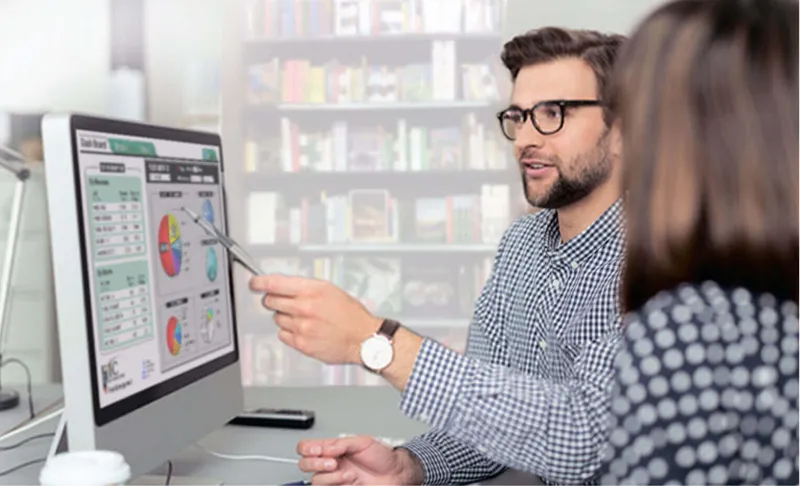
Control, update and monitor your KIC systems remotely. To better serve your patrons, it is important to know which KIC systems are used the most and at what times during the day and week, and which are used the least. All usage statistics can help you to determine the best KIC configuration for each site. And to make it easier to navigate from KIC to KIC system, KIC Fleet Manager allows you to select a particular KIC system via either of two methods: a map or a list.
KIC Fleet Manager
MONITOR USAGE STATISTICS AT A GLANCE
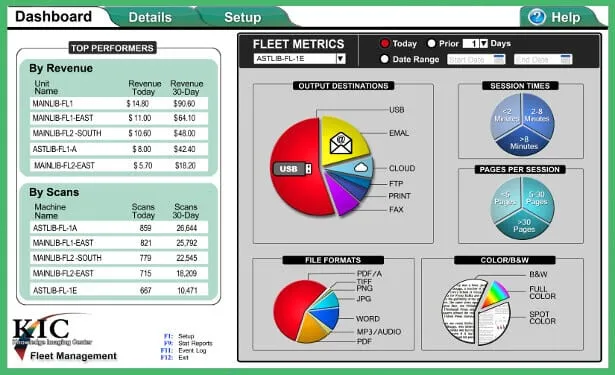
With 14 years serving libraries, KIC is the most stable product available today. However, DLSG engineers incessantly work to improve KIC and support the growing changing digital world. DLSG offers improved software regularly, and to make it easier to deploy updates, KIC Fleet Manager lets you update KIC systems remotely. For example, KIC Fleet Manager lets you turn KIC systems on and off on demand or on a schedule set by a central control panel.
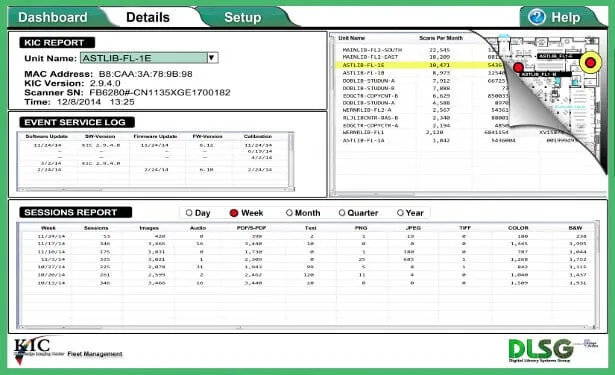
- Live KIC Stations status
- Real time statistics, including statistical analysis presented by easy-to-see charts
- Real time revenue reports
- Detailed single-unit statistics, including total scans, color options, most popular output methods, file formats
- Live Event Log
- Centralized settings manager
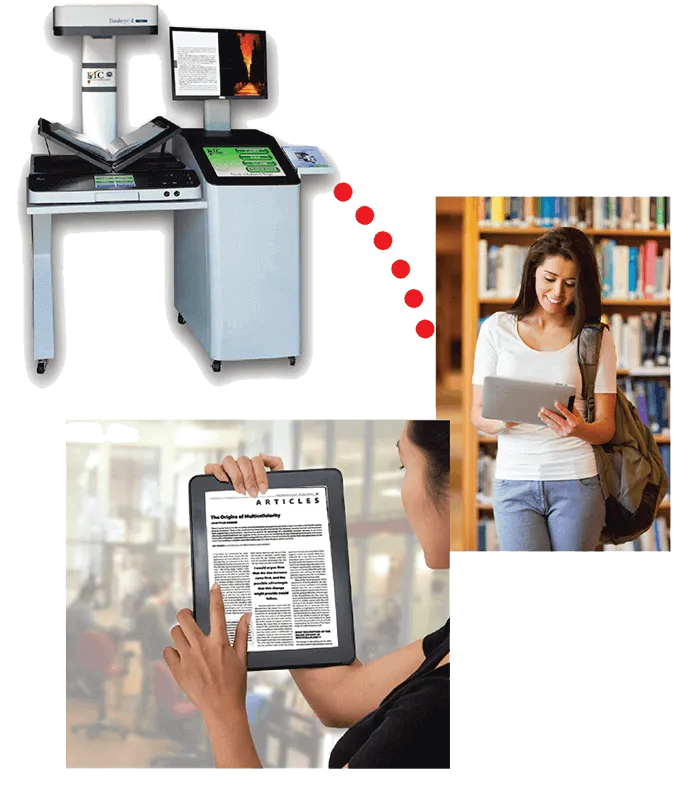
The Hybrid Library
To fully earn the 'hybrid library' designation, a library's existing print collections must be available in digital format. KIC systems allow your students and faculty to select material for quick and easy self-serve digitization, providing a valuable conduit between your print collections and patron tablets, PCs, eReaders and smart devices.
KIC's self-serve digitize-on-demand capabilities leverage your library's most valuable assets - its print collections.
Digital images don't have the limitations of physical copies. They can instantly be shared with fellow researchers around the world via email or Cloud, dramatically facilitating collaboration.
A Message to Students

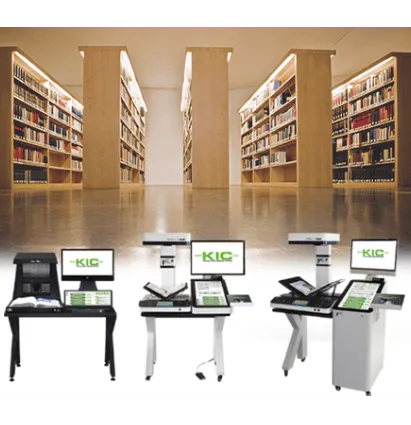

Another means of acquiring KIC systems is to use student-administered funds (i.e. student technology funds). These non-library funds can be used to purchase a pilot set of one small KIC, one medium KIC and one large KIC. Once they're in the library, their popularity with students will make it much easier to justify all the efforts necessary to piece together the funds and to tell the entrenched copier companies that the library floor is no longer their domain.
Alternately a relatively small portion of these funds can be used to upgrade from basic Knowledge Imaging Centers (copier replacement kiosks) that scan 5 pages per minute to bigger, faster KIC systems that scan up to 20 pages per minute.
Resource Sharing
We know the importance of resource sharing. To help squeeze more value out of your investment, KIC can be configured to support the BSCAN Interlibrary Loan system, the Opus Digitization Workflow system, and general ad hoc scanning.
Use a USB flash drive to enable other types of scanning at a KIC station and temporarily access shared folders on a network. When you unplug the USB, the KIC station automatically returns to its regular self-serve scanning station functionality.
For general purpose scanning by administrators and faculty, simply write a department password file to a flash drive. When a user inserts the USB 'key', KIC recognizes the password and allows the user to save scanned images to shared folders.
Premium Maintenance Plan
Image Access has an unmatched service and support record. It is impossible to affordably provide service personnel living in every city and town across America that are highly trained on the very special technologies needed by libraries. Instead, DLSG designs remote serviceability into its products and has perfected remote diagnosis and when possible, repair.

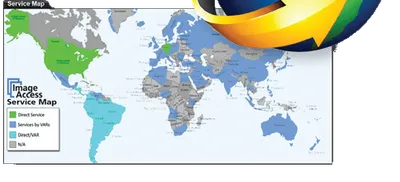
The resulting savings allows DLSG to frequently and promptly provide loaner/swap-out equipment and to go on site whenever necessary to maintain and repair equipment, minimizing interruptions in service.
Technical Specifications
KIC Bookeye V2
KIC Bookeye V3
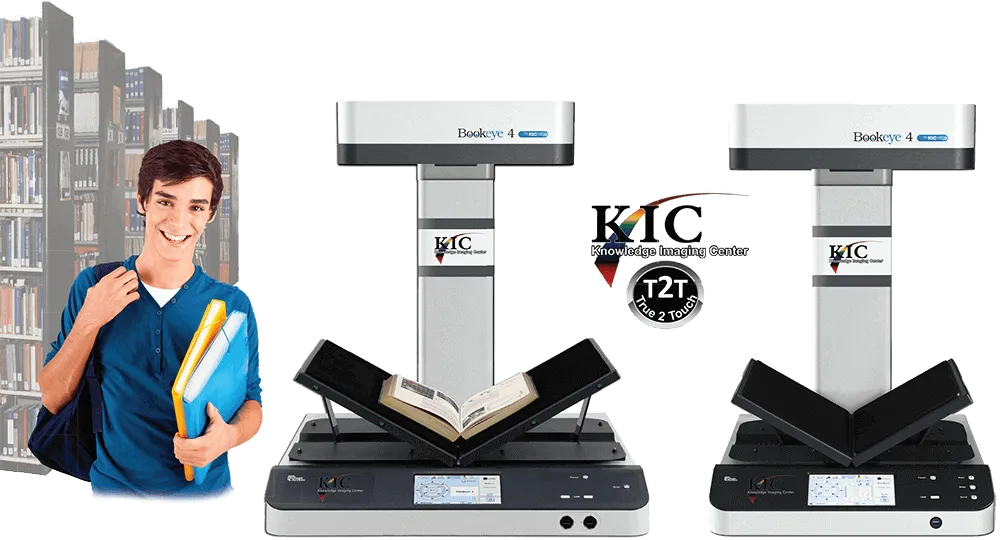
| Max Capture Area | 24.4 x 18 inches | 18.9 x 15.3 inches |
|---|---|---|
| Resolutions | 150, 200, 300, 400, 600 dots per inch | 150, 200, 300, 400 dots per inch |
| Maximum Speed | 0.7* sec / 1 page of 8.5 x 11" book 1.1* sec / left & right pages of 8.5 x 11" book 1.8* sec / full bed scan | 0.7* sec / 1 page of 8.5 x 11" book 1.1* sec / left & right pages of 8.5 x 11" book 1.4* sec / full bed scan |
| Dimensions (HxWxD) | Tabletop Model: 31 x 46 x 26 inches K-stand Model: 63 x 45 x 28 inches | Tabletop Model: 31 x 43 x 24 inches K-stand Model: 62 x 48 x 26 inches |
| Weight | Tabletop Model: 120 lbs (Includes PC) K-stand Model: 310 lbs (Includes PC) | Tabletop Model: 107 lbs (Includes PC) K-stand Model: 220 lbs (Includes PC) |
| Power Consumption | Approx 230W (Scanning) | Approx 230W (Scanning) |
KIC Technical Specifications
(Common to All KIC Models)
| Output Color Depth | 24 bit color, 8 bit grayscale & 1 bit B&W |
|---|---|
| Digital File Interfaces | USB 2.0, email, FTP, Web/Cloud storage (e.g. Google Docs), file folder (for staff & faculty only) |
| Image Output Formats | PDF, JPEG, PNG and TIFF, rich text and searchable PDF (optional) |
| Audio Output Formats | MP3 audio text-to-audio (optional) |
| Printer Interface | 10/100/1000 megabit Ethernet or USB 2.0 |
| Printed Output Formats | 8.5 x 11", 11 x 17", simplex, duplex, color & 13 x 19" monochrome (printer not included) |
| Image Treatment Functions | Split pages (left & right), clip, crop, change brightness/contrast, change resolutions (dpi), select color, grayscale, or B&W |
| Lamps | White LED's, no IR/UV emission |
- Copy two face-up, full-color pages with a single touch
- Create full color electronic images and/or paper copies
- Review electronic images before saving or printing copies
- Collate by dragging images into proper order with your fingertip
- Select file formats such as PDF, JPEG, PNG, TIFF, even MP3 (audio)
- Simply place your smart device on KIC's optional Dock and with just two touches, you are ready for very high-speed transfer.
- Sending scanned images via email is also fast and easy with hot-keys that are pre-programmed with your institution's base email address.
- Output to Google Docs / Google Apps for Education and other cloud- based tools can also be simplified with pre-programmed hot-keys.
- Insert a USB flash memory device and KIC auto-selects USB output.
The KIC Product Family
Your dollars go further with our complete KIC product line. Every institution would like to have at least one large KIC system, especially for reading rooms and reference sections, but not all library floor locations require a large system. Our array of products lets you get as many bigger systems as you need and fill out the rest with lower-cost systems.
KIC Bookeye V2 Tabletop Models  Floorstand Model 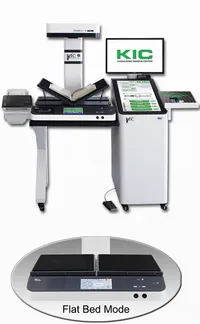 | KIC Bookeye V3 Tabletop Models 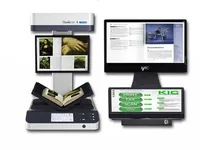 Floorstand Model 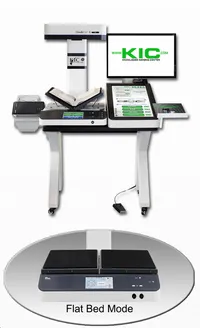 | KIC Click Mini Tabletop Models 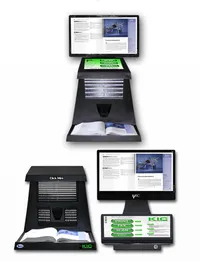 Floorstand Model 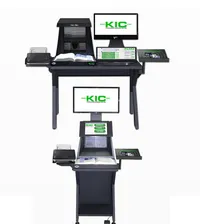 | KIC for Sprout Pro by HP Tabletop Models 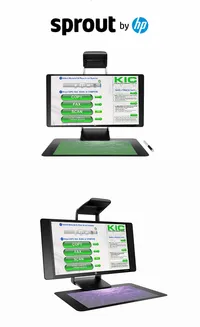 | KIC BookEdge Tabletop Models 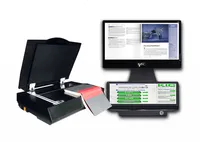 Floorstand Model 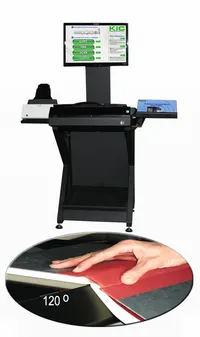 | |
| Max Scan Area | 24.4 x 18"  | 18.9 x 15.3"  | 19.2 x 12.3"  | 15.75 x 11.75" | 17 x 11.8"  |
|---|---|---|---|---|---|
| Bound Volume Scanning Speed in Pages Per Minute | 24 PPM  | 30 PPM  | 40 PPM  | 22 PPM  | 7 PPM  |
| - | - | ||||
| Project & Course Material Creation | |||||
| Scalable | |||||
| Oversize Flat & Large Books | |||||
| Face-up Scanning | |||||
| Flatbed with Book Edge | |||||
| 120° Book Cradle | |||||
| Scan Follows Book Contours | |||||
| Face-up: Flat and V-Cradle | * | * | |||
| Price | $ | $ | $ | $ | $ |
Archive(High Resolution)
*Exclusive Feature
Features Common to All KIC System
| Output Formats: | Basic PDF, JPEG, PNG, MP3 Audio(TTS), Google Docs, Cloud, Dropbox... USB, Email, FTP, Admin Folder, Smart Dock™, Tablets, eReaders and Smart Phones. |
|---|---|
| Copier Replacement Capabilities: | Collate, Black&White Color, Automatic Document Feeder Option, Multiple Shared Printers, Charge for Prints via Blackboard, ITC Sys, CBord, Diebold, Copicard, Danyl Sys, Debitek, Gen Meters, Jamex, Pharos, Vendapin, Virtual Cash, etc. |
| User Interface Features: | True 2 Touch™, Separate Preview Screen, Full-Size Preview, Large Touch Screen (24 inches), ADA Support. |
| Image Editing Features: | KIC Composer, KIC AutoNote, Collate, Clip, Rotate, Crop, Split Left & Right Pages, Deskew, Correct Book Curve. |
| Optics: | 24 Bit Color, 260-300 dpi Output. |
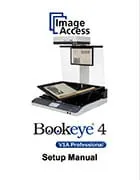
Bookeye® 5 V3 Scanner
Bookeye® 5 V3
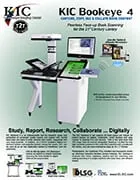
With this latest member of the Bookeye® family, Image Access placed an emphasis on developing a scanner which is compact, easy to operate and competitively priced; to bring high end professional scanning to an even larger population of users. The efficient Bookeye® 4 digitizes source material such as bound documents at high speeds in up to 600 dpi optical resolution and formats up to DIN A2.
Over 17 years of electronic, optical and mechanical engineering experience went into the creation and manufacture of the Bookeye® 4. The clever mirror mechanism captures the document precisely from edge to edge, whether it is a flat document or a book open at an angle of 120 degrees.
The V-shaped book cradle was optimized to reduce the risk of damage to book spines and binding during digitization. The book cradle holds the open book at an angle of 120 degrees; enough to effectively scan the contents of a page, while gently preserving the original subject matter.
Book scanning made easy
Bookeye® 5 V2 has all the advantages of a more expensive standalone device. Outfitted with an integrated color touchscreen and monitor, Bookeye® 4 can reach unrivaled scanning speeds and process large volumes of data independent of any external peripheral devices - a typical feature of all Image Access scanners.
It takes approximately 1.6 seconds for the Bookeye® 4 to capture and process the images of two pages of a DIN A2 sized book scanned at 200 dpi optical resolution. Once the image is on the screen, modifications can be made to scan parameters such as brightness, color or contrast without having to rescan. Users operate the system intuitively, guided by clear and well-structured menu commands on the touchscreen. Scanned images can be saved to a USB flash drive or Cloud, sent via email, printed on a connected or network printer, or uploaded to an FTP Server.
Bookeye® 5 V2's solid build, innovative features and competitive pricing make it an ideal book copier for large groups of users; for example, in a university library. Some of the advantages of using a Bookeye® 4 instead of a standard copier include the Bookeye®'s built-in book cradle for gently handling bound materials, its speed and simplicity of operation, and the fact that the resulting digital images substantially reduce, and in most cases eliminate, the need to print scanned material.
Key Features of Bookeye
- Compatible with Windows, Linux, Mac OS, Unix
- Laser-assisted auto-focus and profile detection
- Print on any network printer
- Remote maintenance and analysis
Applications
- Newspapers, periodicals, tabloids, catalogs and magazines
- Books and delicate materials
- Bound and stapled documents
More Features
High Speed Scanning: Image Access scanners always run at rated speeds regardless of how powerful your computer is. We do a full scan into the scanner memory at full speed, without any stops. We're the only scanner company that does that. Only the time between scanning and output are dependent upon the transfer speed of the network and the computer, and even our transfer rate is twice as fast as competing products because data is transferred to your workstation at 1 Gigabit speeds, while other scanners use significantly slower transfer rates (1/2 Gigabit or less). Learn more
Works Well With Others: Create JPEG, PDF (both searchable and image-only), or TIFF file formats and save to network (PC, server, FTP).
Easy to Use: Single button scanning, optional foot pedal, built-in display, automatic laser-assisted profile detection and automatic format recognition ensure uncompromised scan results.
High Duty Cycle: High Duty Cycle: Bookeye scanners are designed for high-volume, professional use. Their duty cycles far exceed that of desktop scanners.
State of the Art Illumination: Bookeye's bright white LED illumination lasts significantly longer than other lighting systems. LED lights also consume less power and produce far less heat.
Clear, Crisp, Colorful Scans: Fast scanning in B&W, grayscale and color, high-quality resolution of up to 400 dpi. We've made it our business for over 15 years now to be experts in image resolution, and since there is some confusion among users regarding this matter, we've provided a white paper that debunks some longstanding myths. Learn more
Easy Setup: Bookeye scanners connect over your network using standard IP (Internet Protocol) addresses and can be operated by a standard browser without drivers or add-on cards.
No Warm Up Time: Bookeye scanners are ready to scan anytime you are. Other scanners can require several minutes to warm up before use.
Room to Grow: Firmware upgrades are available online and are directly downloadable to the Bookeye using a standard browser.
Environmentally Responsible: We all know that scanning and saving images to email, USB, etc., rather than photocopying or printing saves paper and toner, but it's hard to get a feel for just how much savings are likely.
Remote Scanner Management: You're in full control from any browser. Change any and all scanner settings remotely or using Bookeye's built-in touch screen.
User Statistics Monitoring: Bookeye lets you manage and monitor the usage, statistics and settings of each scanner you own. The reports are automatically uploaded and available online from your web browser.
| Document Formats | Bookeye 5 V3 |
|---|---|
| Autoformat Size Recognition | 18.9 x 15.3 inches (480 x 390 mm) |
| DIN Formats | DIN A5 to DIN A3 |
| US ANSI Formats | Legal, Letter |
| User defined Formats | |
| Document Specification | |
| Optical Resolution | 400 x 400 dpi |
| Performance Specification | |
| Scan Speed (24 bit) | 0.8 seconds for full bed at 150 dpi 1.1 seconds for full bed at 200 dpi 2.5 seconds for full bed at 300 dpi 3.2 seconds for full bed at 400 dpi |
| Technical Specifications | |
| Color Depth | 36 bit color, 12 Bit gray scale |
| Scan Output | 24 bit color, 8 bit gray scale, bitonal, enhanced halftone |
| File Formats | JPEG, PNM, TIFF, TIFF G4 (CCITT), PDF (optional) |
| Interface | 1 GBit Fast Ethernet with TCP/IP |
| Camera | CCD camera, 22,500 pixels |
| Light Source | White LEDs, classificated to IEC 60825-1: class 1, no IR/UV emission |
| Dimensions and Weight | |
| Dimensions of Scanner (H x W x D) With Lamps attached | 31 x 19.7 x 22.9 inches (780 x 500 x 580 mm) |
| Weight of Scanner | Approx. 66 lbs (30 kg) |
| Electrical Specifications | |
| Electrical Connection | 100 - 240V AC, 50/60 Hz |
| Power Consumption | 0.5 W (Sleep) / 2.5 W (Stand-by) 130 W (Scanning) |
| Ambient Conditions | |
| Operating Temperature | 40 to 105° F |
| Relative Humidity | 20 to 80 % (non-condensed) |
| Noise Level | 42 dbA (Scanning) 33 dbA (Stand-by) |
| Accessories | |
| Accessories | Foot Pedal |
| Options and Functions | |
| Software Options | TWAIN interface |
| Functions | Book Fold Correction Digital color balance Automatic white balance Web-based firmware updates |
Product Documentation
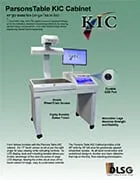
Call Technical Support at 800.378.5432 to request this guide, email us at ServiceDepartment@KIC.com, or use the contact form.

ENERGY STAR qualified products and practices help you save money and reduce greenhouse gas emissions by meeting strict energy efficiency guidelines set by the U.S. Environmental Protection Agency and the U.S. Department of Energy.

The cETLus Listing Mark is used for products going into the Canadian and US markets. Products with the cETLus mark have been examined and have passed tests determining compliance with device safety requirements. The standards for IT-equipment are ul 60950 for the US market and CSA.C22.2 No 60950 for the Canadian market.

The ETL-EU Listing Mark is used for products going into the European market (shown by the "EU" in the mark). Products with the ETL-EU mark have been examined and successfully passed tests according the requirements for device safety. The standards for IT equipment are IEC 60950-1 and EN 60950-1, or the new standards (from 2014) IEC 62368-1 and EN 62368.

The China Compulsory Certificate (CCC mark) is a compulsory safety mark for a wide range of products imported and sold in the Chinese market. It became effective on August 1, 2003, when China became a member of the WTO (World Trade Organisation). The CCC mark is required for both Chinese manufactured and foreign imported merchandise. The CCC certificate must be renewed annually as part of a follow-up certification which includes a factory audit.

BIS is the acronym for Bureau of Indian Standards.
Relevant safety standards for India are:
- IS 13252-1:2010
- IEC 60950-1
The BIS mark is a requirement for manufacturer who intend to export their products to the Indian market. Tests executed by accredited laboratories ensure that the tested device fulfils all safety relevant requirements of the above named standards.

2004/108/EG (Electromagnetic compatibility):
- EN 55022:2010 Class A
- EN 61000-3-2
- EN 61000-3-3
- EN 55024:2010 Criteria Class A and B
- EN 61000-4-2
- EN 61000-4-3
- EN 61000-4-4
- EN 61000-4-5
- EN 61000-4-6
- EN61000-4-11
2006/95/EG (Low voltage guideline):
Tested according to the following standards- IEC 60950-1:2005
- IEC 62368-1:2014 (for devices tested as of 2014)
- EN 60950-1 (European Standard)
- UL 60950-1:2007 (US Standard)
- CAN/CSA C22.2 No. 60950-1:2007 (Canadian Standard)
for Safety of Information Technology Equipment

DE 15679937
WEEE is the European Community directive 2002/96/EC on waste for electrical and electronic equipment which, together with the RoHS Directive 2002/95/EC, became European Law in February 2003, setting collection, recycling and recovery targets for all types of electrical goods.
This device is in compliance with the requirements of RoHS-guidelines (Restriction of use of certain Hazardous Substances in Electrical and Electronic Equipment.)